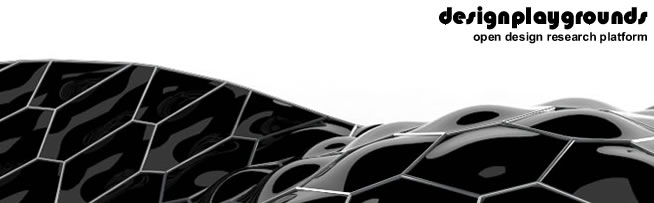


Continuing with the experimentation and research of honeycomb morphologies and a as example for a Workshop I gave recently I developed a Grasshopper tool for creating a responsive skin system ,using my previous VB script component for creating honeycomb patterns.
For more information and definition downlad click HERE
New site

Showing posts with label rhinoscript. Show all posts
Showing posts with label rhinoscript. Show all posts
Monday, April 12, 2010
Responsive Honeycomb Morphologies [Gh3D]

Friday, February 5, 2010
Pneumatic Panel Revised [rhinoscript]

 Some new updates on the Pneumatic Panels Project , Toni Österlund an architecture student at University of Oulu (Finland) ,revised my code and made some improvements,the script now supports non planar polygons for creating the cushion cladding system. More info and downlads HERE
Wednesday, January 20, 2010
Honeycomb Morphologies Update


The lastest update from my honeycomb morphologies research is already at the official site , you can go there to to check it out and download the definition.
Recursive Aggregations [rhinoscript]


Here is my last weekend experiment with rhinoscript , working with recursive agreggations , you can check out the project HERE
Monday, November 9, 2009
Recursive tessellation

 A quick study of Marco Vanuci´s work on recursive surface tessellations . CHECK IT OUT
Wednesday, November 4, 2009
Rhinoscript Pneumatic Caldding

 Finally I have uploaded my research for generationg cushion like pneumatic panels you can see the info and download the script at my new site don´t forget to share it and leave your comments =).
Sunday, October 4, 2009
Pneumatic Panels Cladding Systems


Preview image of my rhinoscript of pneumatic cladding systems still some things an options to tweak but so far it´s looking good i hope to have it ready soon to start sharing, i will be posting a complete explanation of it on my new site so stay tuned !!!
Monday, August 17, 2009
Parametric Truss System
 Hello guys this is a parametric truss exercise I made to see more about it please visit my new site here if you are interested in the definition please don´t forget to leave comments , friend me up and join the community thanks !!!
Friday, April 3, 2009
designplaygrouds at ESARQ

Yesterday I went to give a presentation at the ESARQ to the students of the master of Biodigital architecture , recently they have been introduced to the world of rhinoscript and grashopper , so they invited my to talk about my work and ideas about scripting and digital fabrication i would like to thank Ernesto Bueno profesor and researcher and Alberto Esteves director of the master for the invitation.
Wednesday, January 7, 2009
arabic tessellations update

Here are just some preview images of the tessellations I´m developing for the Dubai tower competition
Friday, December 5, 2008
arabic tesselations

 Currently working in collaboration with KRFR group of Barcelona, in the developmento of a tower for Dubai for the XI ThyssenKrupp Elevator competition, this are the first experiments for generating an arabic pattern tesselation, one of the intentions is that the tesselation takes into consideration enviormental data in its generation steps , more from this project on the next posts.
Monday, October 27, 2008
tower body study


This is an experiment i did some time ago ,the use of analysis tools for form finding is becoming one of the top priorities in my research work that's why i have been using lately Ecotect which is a very powerful enviormental analysis tool.
In this project i made a simple algorithm based on a simple geometry ( ellipse) in order to generate the volume of a tower building . The form of the building was optimized to reduce the wind pressure loads this was achieved by making some wind pressure analysis on ecotect and orienting the thinner part of the build in the same direction of the highest wind current. Also some incidental radiation analysis were made to know the solar exposure of the building this kind of analysis help a lot in order to develop bio climatic systems.Finally i used rhinoscript to make a exoesquleton skin for the building.
Wednesday, October 22, 2008
my version of a rib builder

Extracting ribs from complex surfaces is one of the clasic scripts that exists so finally y have decided to do my own version it still has some things to fix and also there is missing the massive unroll function to get all the rib sections separate to send it to CNC but the hard part is already finished i will post some photos of the finished work
Monday, October 13, 2008
surface components


Project related with the implementation of components over surface geometries, scripting processes can help us to design and implement diverse components on complex surfaces in order to make more efficient bodies.
Particularly this project had the objective of the elaboration of an algorithm that takes a host surface to generate components that resemble the skin of a reptile, as a result we can see surfaces with a very interesting texture.This work is able to be manufactured becaouse each component is made out of simple triangular planes.
Particularly this project had the objective of the elaboration of an algorithm that takes a host surface to generate components that resemble the skin of a reptile, as a result we can see surfaces with a very interesting texture.This work is able to be manufactured becaouse each component is made out of simple triangular planes.
Thursday, September 25, 2008
complex surface structures


Back into rhinoscipting here is a project i have developed for making a buildable structure from complex surface , the script takes an input surface and then it divides it in square sections, then it runs a macro wich makes an "x" form component in each squared sections. some improvements are posible you could add more pipe sections around each section, any way to understand it better here is the code feel free to use it and let me know any comments please.
Option Explicit
'Script written by Rodrigo Medina
'Script copyrighted by designplaygrounds
'Script version Tuesday, August 12, 2008 5:45:47 PM
Call Main()
Sub Main()
Const Objecttype=8
secu=15
secv=15
ReDim collec(secu,secv)
'inputs
Dim strsurface,Udomain,Vdomain,Uparam,Vparam,arrpoints,i,j,secu,secv
strsurface=rhino.GetObject("select surface",Objecttype)
If IsNull (strsurface) Then Exit Sub
'surface domains
Udomain=Rhino.SurfaceDomain(strsurface,0)
Vdomain=Rhino.SurfaceDomain(strsurface,1)
'looping
For i= 0 To secu
For j =0 To secv
Uparam=Udomain(0)+ i*((Udomain(1)-Udomain(0))/secu)
Vparam =Vdomain(0) + j*((Vdomain(1)-Vdomain(0))/secv)
arrpoints=rhino.evaluatesurface(strsurface,array(Uparam,Vparam))
'Rhino.AddPoint arrpoints
' function its only for making smooth unions between elements
'Call rhino.addsphere(arrpoints,1)
'charge the 2 diomension array with the size in i and j
collec(i,j)= arrpoints
Next
Next
'names for the points inside the array
Dim npoint1,npoint2,npoint3,npoint4
'position of the poinst inside of the array
For i= 0 To secu -1
For j= 0 To secv -1
npoint1=collec(i,j)
npoint2=collec(i+1,j+1)
npoint3=collec(i+1,j)
npoint4=collec(i,j+1)
Call pipe(npoint1,npoint2)
Call pipe(npoint3,npoint4)
Next
Next
End Sub
Function pipe(npoint1,npoint2)
Dim strline,strcmd,pipeRadius
strline= rhino.addline(npoint1,npoint2)
'radius of the pipe element
pipeRadius=1
strcmd ="! _Pipe _SelID " & strline & " " & pipeRadius & " _Enter _Enter"
Call rhino.command(strcmd)
End Function
Function pipe(npoint3,npoint4)
Dim strline2,strcmd,pipeRadius
strline2= rhino.addline(npoint3,npoint4)
pipeRadius=1
strcmd ="! _Pipe _SelID " & strline2 & " " & pipeRadius & " _Enter _Enter"
Call rhino.command(strcmd)
End Function
'Script written by Rodrigo Medina
'Script copyrighted by designplaygrounds
'Script version Tuesday, August 12, 2008 5:45:47 PM
Call Main()
Sub Main()
Const Objecttype=8
secu=15
secv=15
ReDim collec(secu,secv)
'inputs
Dim strsurface,Udomain,Vdomain,Uparam,Vparam,arrpoints,i,j,secu,secv
strsurface=rhino.GetObject("select surface",Objecttype)
If IsNull (strsurface) Then Exit Sub
'surface domains
Udomain=Rhino.SurfaceDomain(strsurface,0)
Vdomain=Rhino.SurfaceDomain(strsurface,1)
'looping
For i= 0 To secu
For j =0 To secv
Uparam=Udomain(0)+ i*((Udomain(1)-Udomain(0))/secu)
Vparam =Vdomain(0) + j*((Vdomain(1)-Vdomain(0))/secv)
arrpoints=rhino.evaluatesurface(strsurface,array(Uparam,Vparam))
'Rhino.AddPoint arrpoints
' function its only for making smooth unions between elements
'Call rhino.addsphere(arrpoints,1)
'charge the 2 diomension array with the size in i and j
collec(i,j)= arrpoints
Next
Next
'names for the points inside the array
Dim npoint1,npoint2,npoint3,npoint4
'position of the poinst inside of the array
For i= 0 To secu -1
For j= 0 To secv -1
npoint1=collec(i,j)
npoint2=collec(i+1,j+1)
npoint3=collec(i+1,j)
npoint4=collec(i,j+1)
Call pipe(npoint1,npoint2)
Call pipe(npoint3,npoint4)
Next
Next
End Sub
Function pipe(npoint1,npoint2)
Dim strline,strcmd,pipeRadius
strline= rhino.addline(npoint1,npoint2)
'radius of the pipe element
pipeRadius=1
strcmd ="! _Pipe _SelID " & strline & " " & pipeRadius & " _Enter _Enter"
Call rhino.command(strcmd)
End Function
Function pipe(npoint3,npoint4)
Dim strline2,strcmd,pipeRadius
strline2= rhino.addline(npoint3,npoint4)
pipeRadius=1
strcmd ="! _Pipe _SelID " & strline2 & " " & pipeRadius & " _Enter _Enter"
Call rhino.command(strcmd)
End Function
Monday, August 18, 2008
Scripted Creature


Lately i have beeen working back with RhinoScript and as a prctice excercise i wanted to create a script wich helped me to create a generative sculpture like object.The result of playing around with this idea is this scripted creature. For the creation of this figure i developed a script wich works in a simple way , the user needs to input a set of points , the the script will elaborate a net work beetween those points withe a distance conditional then script will ask the user to select the created lines he wants to use for the creation of the structure , then script will complete the task making a lofted surface.


Here is the script perhaps it can be usfel to perform other tasks if you find one please let me know.
Option Explicit
'Script written by Rodrigo Medina Garcia
'Script copyrighted by designplaygrounds.blogspot.com
'Script version miércoles, 23 de julio de 2008 15:49:30
Call Main()
Sub Main()
Dim arrpts,strcrv,strcrv2,crvdomain,evapoints
Dim i,u,k,j
arrpts=rhino.GetPointCoordinates("select points for structure creation")
If isNull (arrpts) Then Exit Sub
For i = 0 To uBound(arrpts)
For u =0 To UBound(arrpts)
If Rhino.distance(arrpts(i),arrpts(u)) <80 Then Call lines(arrpts,i,u,strcrv)
Next
Call rhino.addsphere(arrpts(i),1)
Next
strcrv2=rhino.GetObjects("select the created line structures",4)
For k =0 To ubound (strcrv2)
crvdomain=rhino.CurveDomain(strcrv2(k))
For j= crvdomain(0)To crvdomain(1) Step crvdomain(1)/4
evapoints=rhino.EvaluateCurve(strcrv2(k),j)
arrpts=Rhino.AddPoint(evapoints)
If j = crvdomain(1)/2 Then
Call circles1(strcrv2,k,j)
ElseIf j <> crvdomain(1)/2 Then
Call circles2(strcrv2,k,j)
End If
Next
Call rhino.Command("_selnone _selclosedcrv -_loft _enter _enter _delete ")
Next
End Sub
Function lines(arrpts,i,u,strcrv)
strcrv=rhino.AddLine(arrpts(i),arrpts(u))
End Function
Function circles1(strcrv,k,j)
Dim frame,radi
frame=Rhino.curveperpframe(strcrv(k),j)
radi=2.5
Call rhino.AddCircle(frame,radi)
End Function
Function circles2(strcrv,k,j)
Dim frame,radi
frame=Rhino.curveperpframe(strcrv(k),j)
radi=1
Call rhino.AddCircle(frame,radi)
End Function
Friday, June 6, 2008


Sunday, May 25, 2008
water bottle design

As an academic task we were asked to design a water botlle made by injection molded pocess, for my design i proposed a bottle with fluid forms that would be similar to the ones we find in water in a natural enviorment, to achieve this forms i made a script in rhino that gererates diferent sections and the loft them togheter to generate a column with fluid forms , after that i altered the column using t-splines plug-in for rhino to obtain the final form , with the correct size and the exact volume needed for the project.

The material i proposed for my design is the PLA 700D (poliactide acid) wich is very similar to PET with the difference that PLA comes from corn wich is an abundant resource, this material also uses 50% less enegry to manufacture it compared to other polymers derived from oil . Using this materials not only represents a saving in energy but also a closed life cicle of product because once we use our bottle we can make composte with it and it can be used to make more corn wich will be used to make more bottles. For more information visit http://www.natureworksllc.com
 An image of the molds proposed for manufacture

Script developded for the project.
- - - - - - - - - - - - - - - - - - - - - - - - - - - - - - - - - - - - - - - - - - - - - - - - - - - - - - - - - - - - - - - - - - - - - - - - - - - - - - - - - - - - - - - - - - - - - - - - - - - - - - - - - - - - - - - - -
Option Explicit
'Script written by Rodrigo Medina
'Script copyrighted by design playgrounds
'Script version thursday , 11 -04-08
Call BottleSurface()
Sub BottleSurface()
Dim i, IntUpper : IntUpper =18
Dim arrMajorPointb()
Dim arrMajorPointc()
Dim arrMajorPointd()
Dim arrMajorPointe()
Dim arrMajorPointf()
Dim arrMajorCross()
For i = 0 To IntUpper
ReDim Preserve arrMajorPointa(IntUpper)
ReDim Preserve arrMajorPointb(IntUpper)
ReDim Preserve arrMajorPointc(IntUpper)
ReDim Preserve arrMajorPointd(IntUpper)
ReDim Preserve arrMajorPointe(IntUpper)
ReDim Preserve arrMajorPointf(IntUpper)
ReDim Preserve arrMajorPointg(IntUpper)
ReDim Preserve arrMajorPointh(IntUpper)
ReDim Preserve arrMajorPointi(IntUpper)
ReDim Preserve arrMajorPointj(IntUpper)
ReDim Preserve arrMajorPointk(IntUpper)
ReDim Preserve arrMajorPointl(IntUpper)
ReDim Preserve arrMajorCross(IntUpper)
arrMajorPointa(i) = Rhino.PointCoordinates (Rhino.AddPoint(array (cos(i),sin(i),i)))
arrMajorPointb(i) = Rhino.PointCoordinates (Rhino.AddPoint (array(2,5,i)))
arrMajorPointc(i) = Rhino.PointCoordinates (Rhino.AddPoint (array(3,1.5,i)))
arrMajorPointd(i) = Rhino.PointCoordinates (Rhino.AddPoint (array(5,-sin(i),i)))
arrMajorPointe(i) = Rhino.PointCoordinates (Rhino.AddPoint (array(3,-1.5,i)))
arrMajorPointf(i) = Rhino.PointCoordinates (Rhino.AddPoint (array(3,-4,i)))
arrMajorPointg(i) = Rhino.PointCoordinates (Rhino.AddPoint (array(sin(i),-cos(i),i)))
arrMajorPointh(i) = Rhino.PointCoordinates (Rhino.AddPoint (array(-3,-4,i)))
arrMajorPointi(i) = Rhino.PointCoordinates (Rhino.AddPoint (array(-3,-1.5,i)))
arrMajorPointj(i) = Rhino.PointCoordinates (Rhino.AddPoint (array(-5,cos(i),i)))
arrMajorPointk(i) = Rhino.PointCoordinates (Rhino.AddPoint (array(-3,1.5,i)))
arrMajorPointl(i) = Rhino.PointCoordinates (Rhino.AddPoint (array(-3,4,i)))
arrMajorCross(i) = Rhino.AddCurve (Array(arrMajorPointa(i),arrMajorPointb(i),arrMajorPointc(i),arrMajorPointd(i),arrMajorPointe(i),arrMajorPointf(i),arrMajorPointg(i),arrMajorPointh(i),arrMajorPointi(i),arrMajorPointj(i),arrMajorPointk(i),arrMajorPointl(i),arrMajorPointa(i)),3)
Call Rhino.RotateObject(arrMajorCross(i),array(0,0,i),4*sin(i))
Next
Call Rhino.AddLoftSrf (arrMajorCross)
End Sub
Saturday, April 26, 2008
rhinoscript concept furniture


This are some concept furniture ideas i had using the rhinoscript I previously made the surfaces in these exaples are made by panels of plywood and could be joined togheter with cotton ropes in the same way that the Knitted Chair of Emiliano Godoy.
tessellation script


Here are a few images of RhinoScript i made using some ArchCut plugin methods the script takes a host surface and panelize it in triangular rounded sections.
Subscribe to:
Comments (Atom)


